Audience: General public
Tools: Cinema 4D, Photoshop, Procreate
Dimensions: 11" X 17"
Anatomical Research
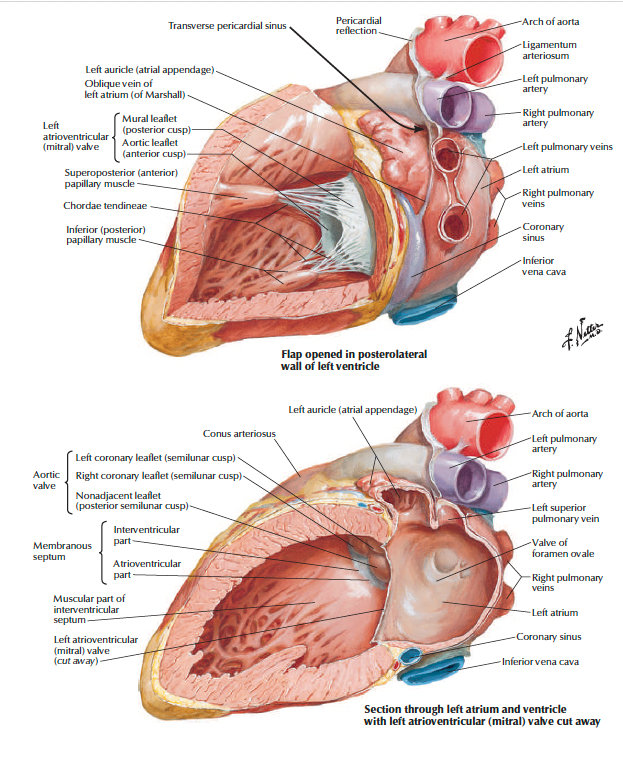
The first stage of the project focused on gathering as many references as possible and developing a strong understanding of the anatomy. I initially referenced Grant’s Atlas of Anatomy and Netter’s Atlas of Human Anatomy, which each presented the anatomy in distinct ways and helped build my understanding of the spatial relationships within the heart. Developing this anatomical foundation gave me a clearer understanding of what to look for when constructing and evaluating maquettes.
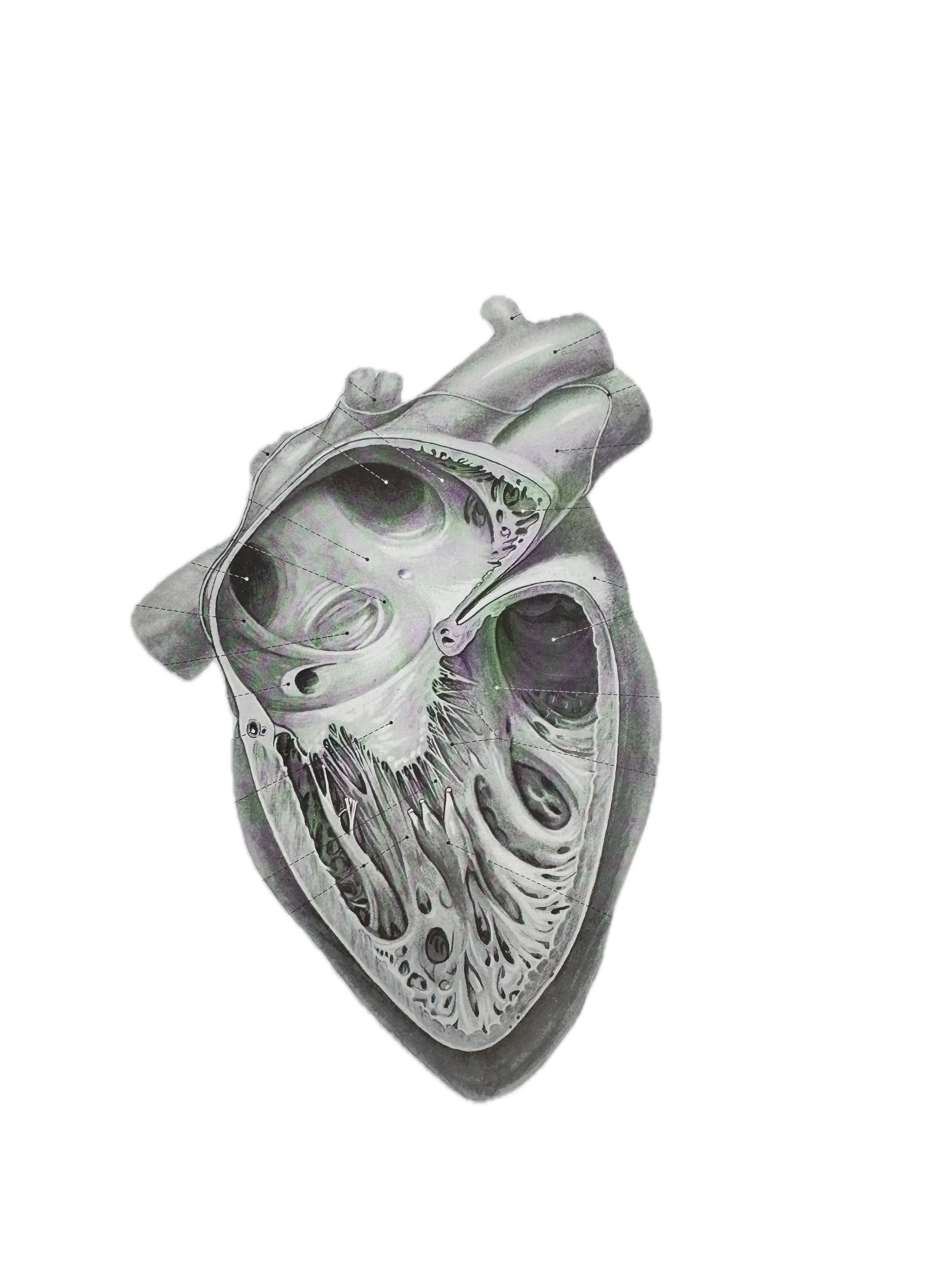
I also visited the Gerstein Science Information Centre, where I explored a variety of anatomical atlases and medical illustration references. This experience not only provided valuable anatomical reference material, but also influenced the visual style and rendering approach of the final illustration.
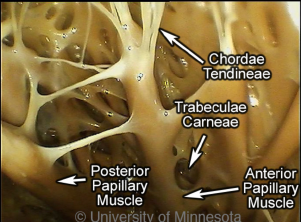
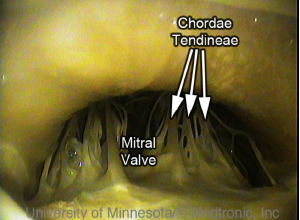
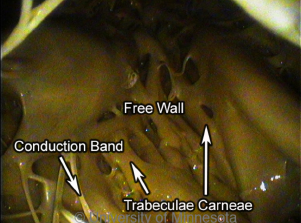
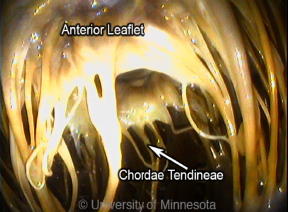
Endoscopic reference images and videos from the University of Minnesota’s Atlas of Human Cardiac Anatomy were used throughout the project. These references provided valuable insight into the colour, texture, and reflective qualities of living cardiac tissue that are difficult to interpret from traditional atlases alone. The endoscopic material informed both the sketching and rendering stages of the illustration process
Maquette Building
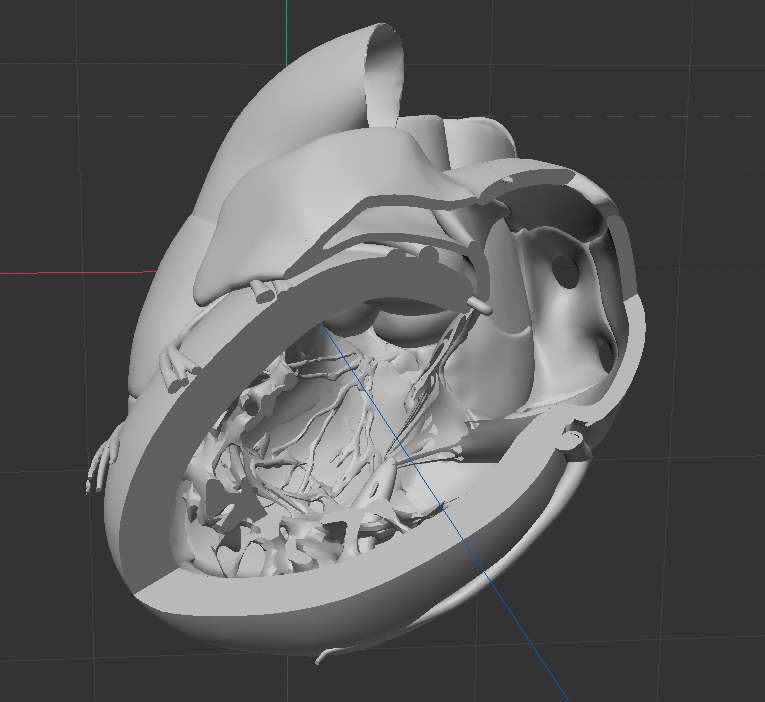
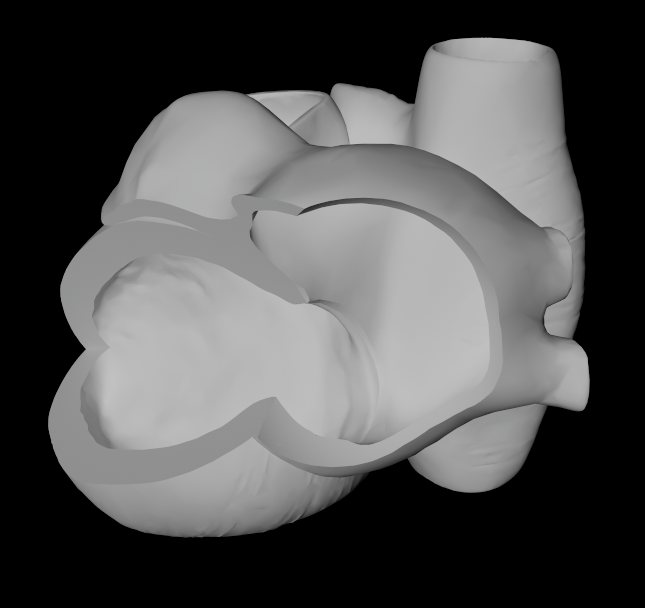
Finding an effective maquette for this project was challenging. My group and I explored a variety of different maquettes, and I also experimented with segmenting a heart from a CT scan. While this provided some spatial reference, it was ultimately not as helpful for resolving the illustration as I had initially anticipated.
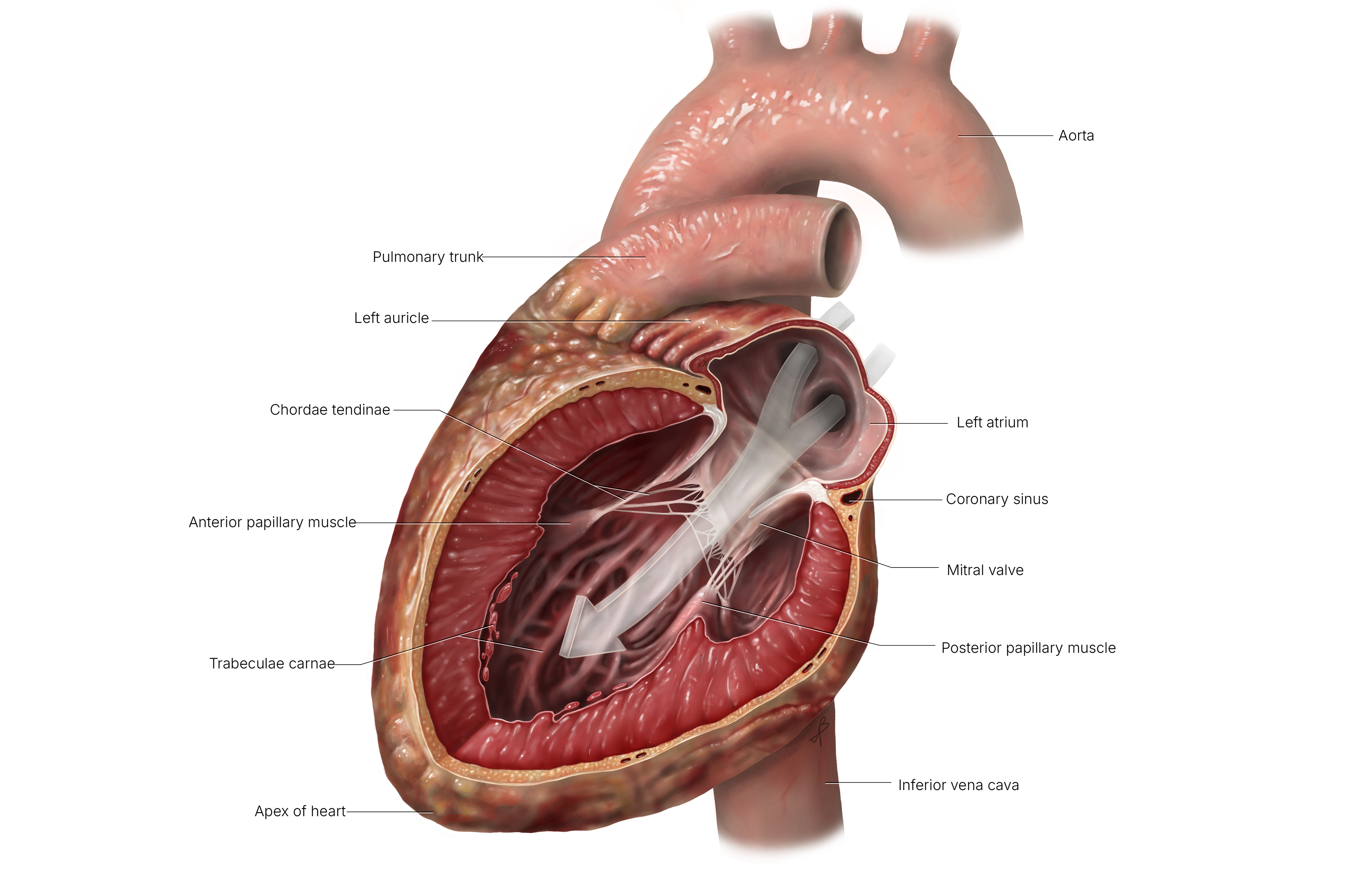
As the project developed, the maquettes became more useful for solving lighting and spatial problems associated with different viewing angles. My initial concept focused on looking through the left atrium and into the left ventricle. However, I found that this perspective was difficult to interpret and orient at first glance. After further exploration and feedback, I ultimately decided that a posterolateral view provided a clearer and more visually effective representation of the anatomy and blood flow pathway.
Sketching and Iteration
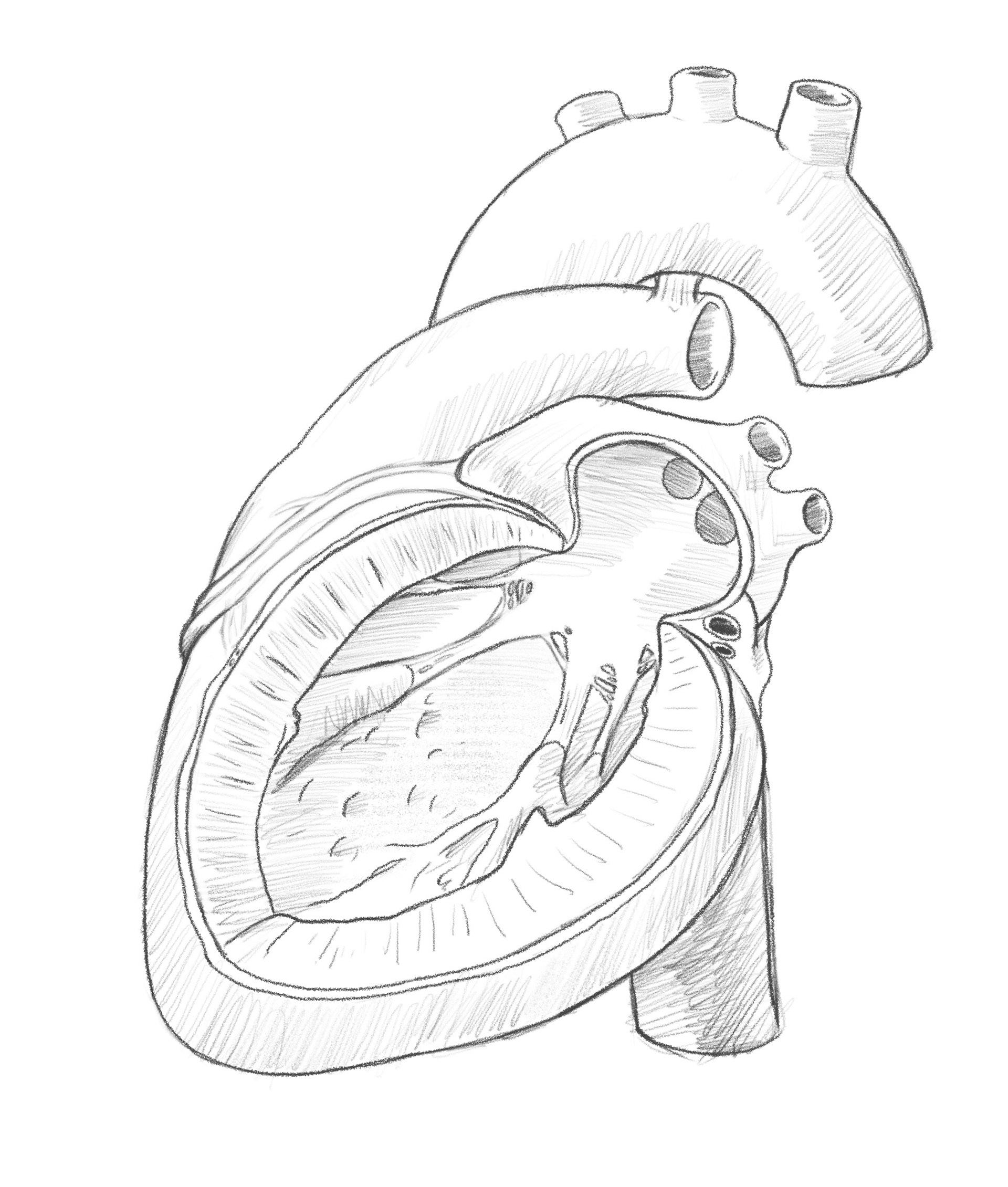
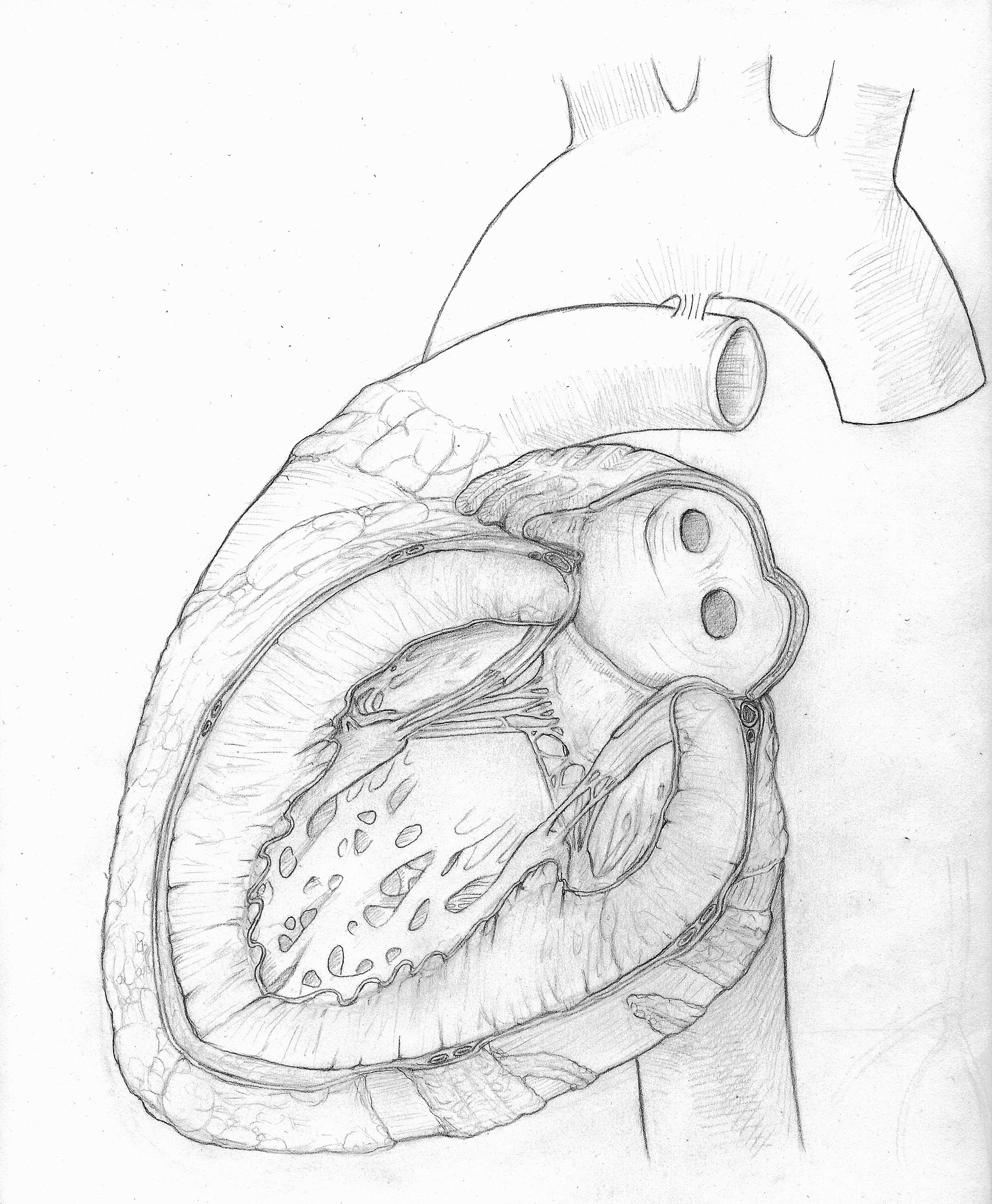
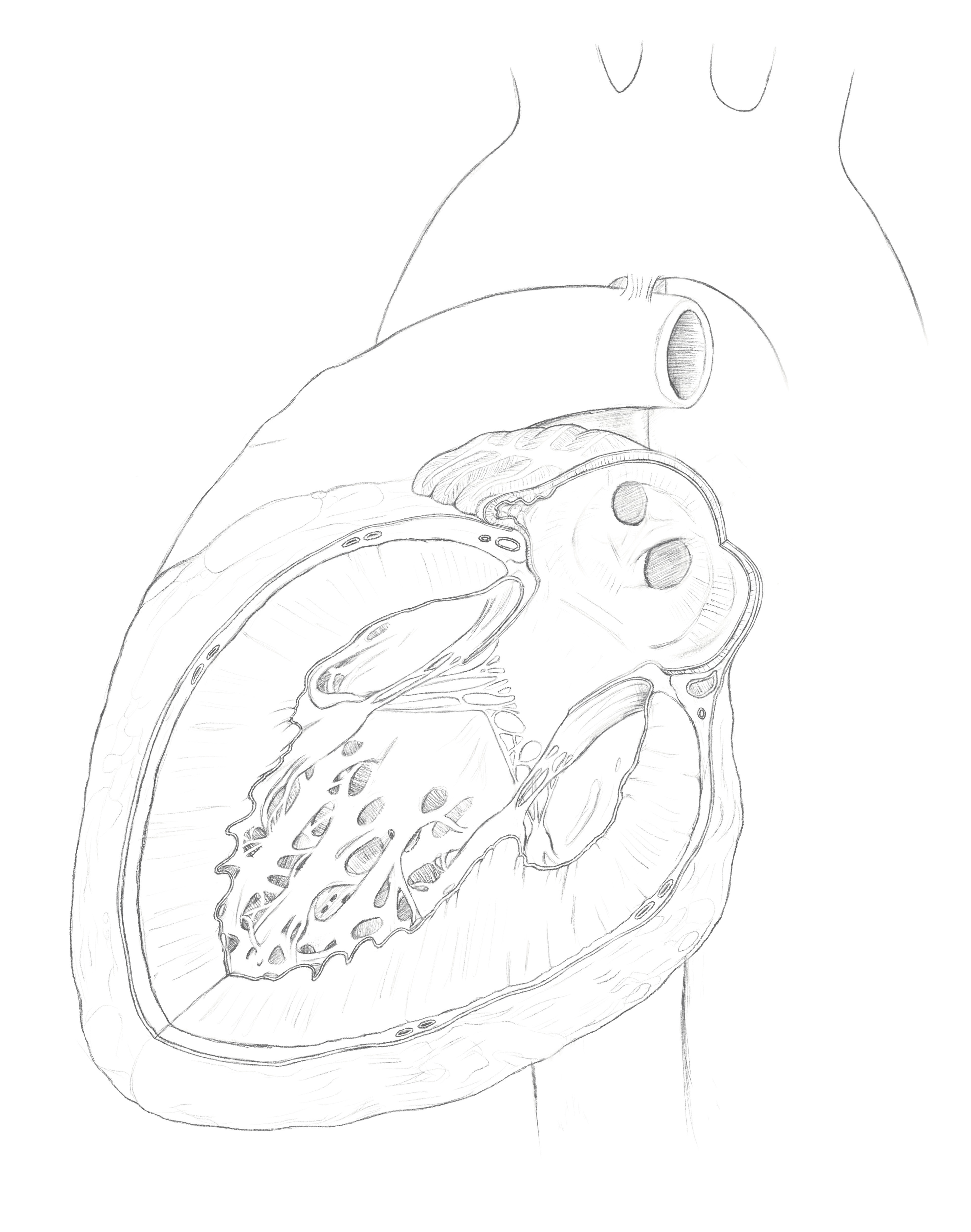
The sketching phase was lengthy and became the stage where most anatomical issues were resolved, as the maquette itself was not fully anatomically accurate. One of the main challenges during this stage was finding effective references, since I could not locate an illustration that shared a similar cut plane and perspective to the view I envisioned.
In total, I created approximately 10 sketches, using layout bond paper to iteratively revise proportions, spatial relationships, and internal structures. Throughout the process, I focused on developing clean and intentional line work, avoiding overly loose or sketchy later iterations so that the final drawing would provide a strong foundation for rendering. This process allowed me to refine the positioning of the mitral valve, ventricular wall thickness, trabeculae, and the overall cutaway view of the heart.
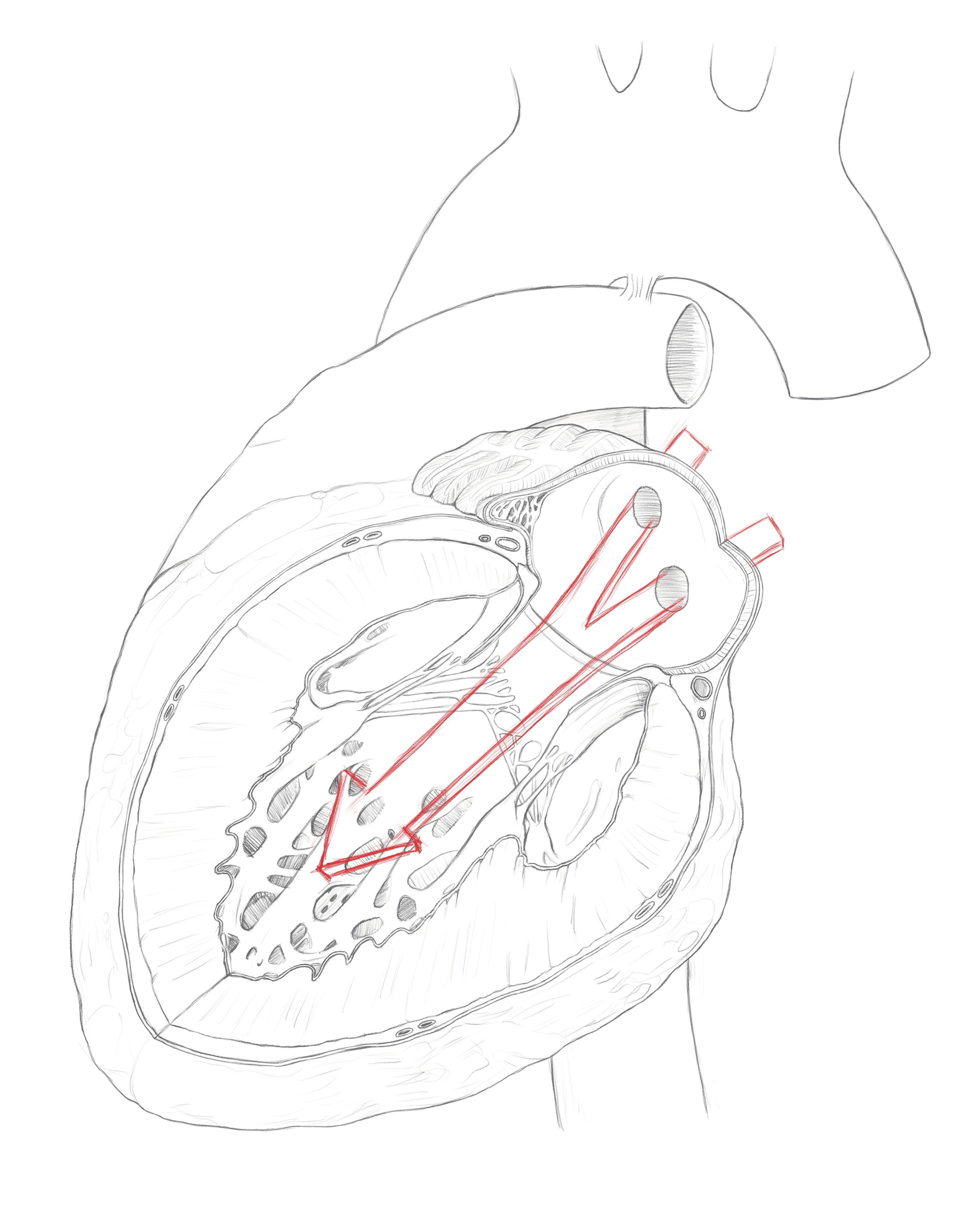
During the later stages of sketch development, I incorporated an inorganic flow arrow to direct the viewer’s eye through the physiological pathway and into the left ventricle. The arrow was designed to communicate blood flow clearly while avoiding interference with the underlying anatomy.
Rendering References
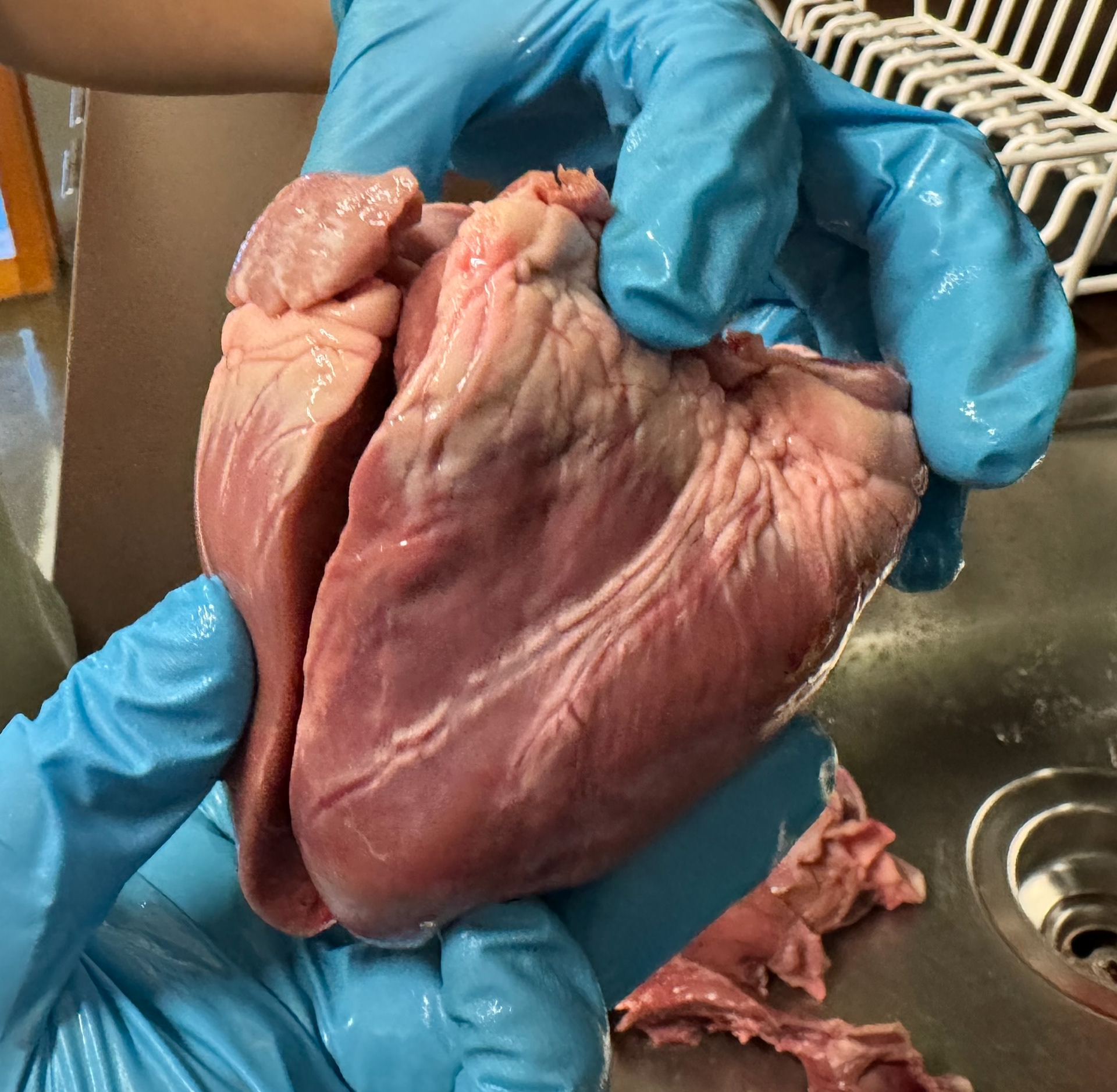
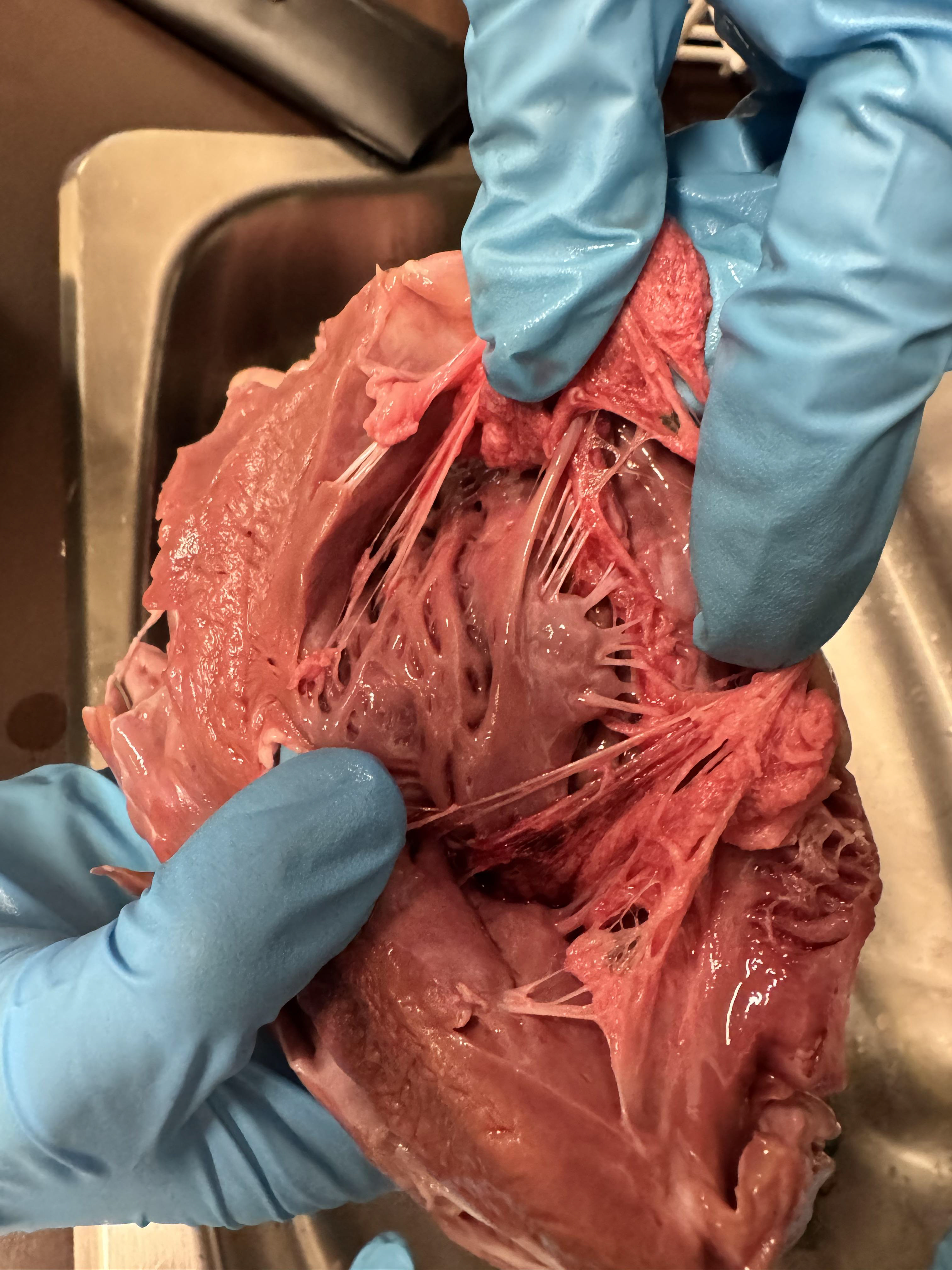
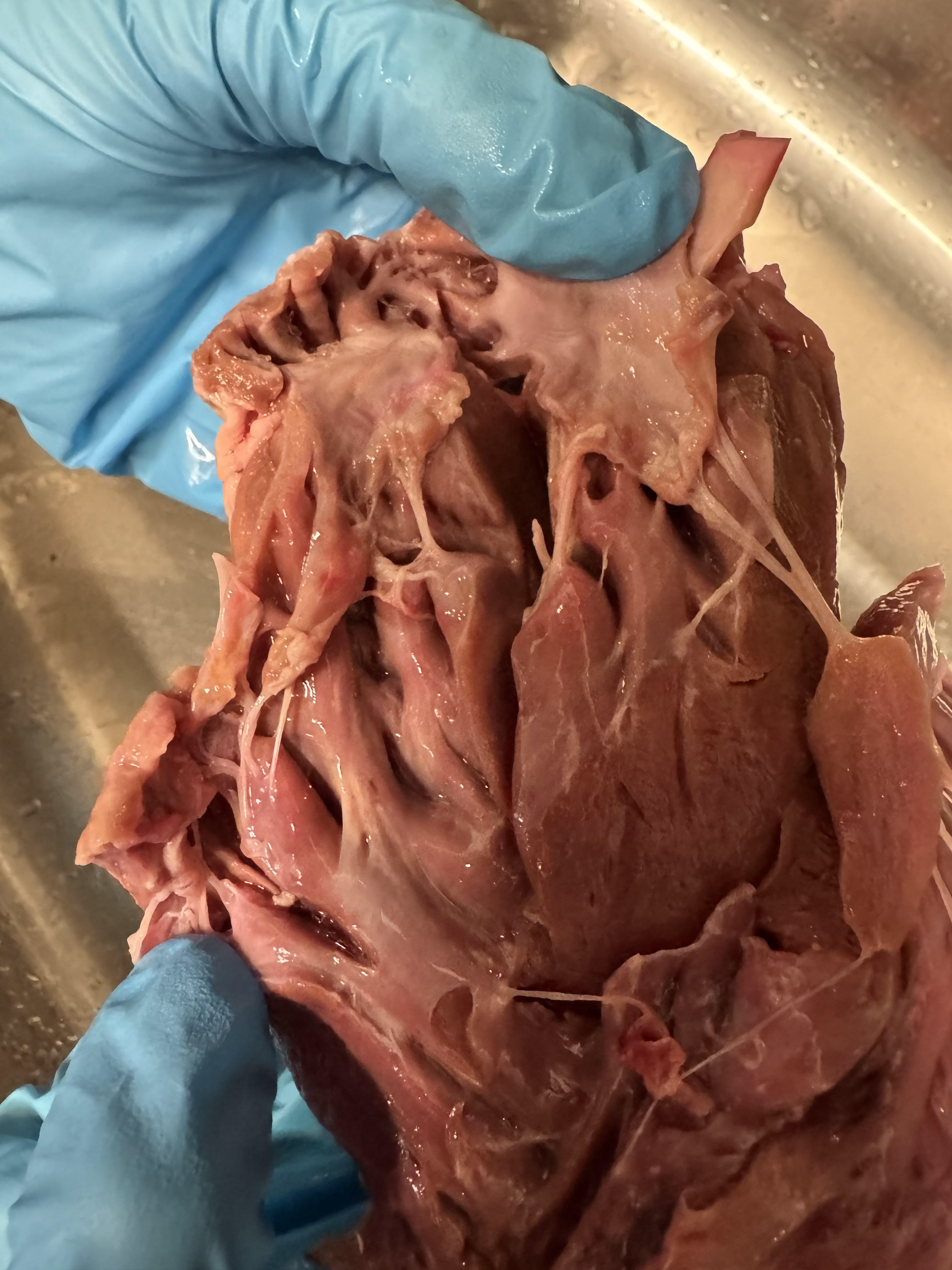
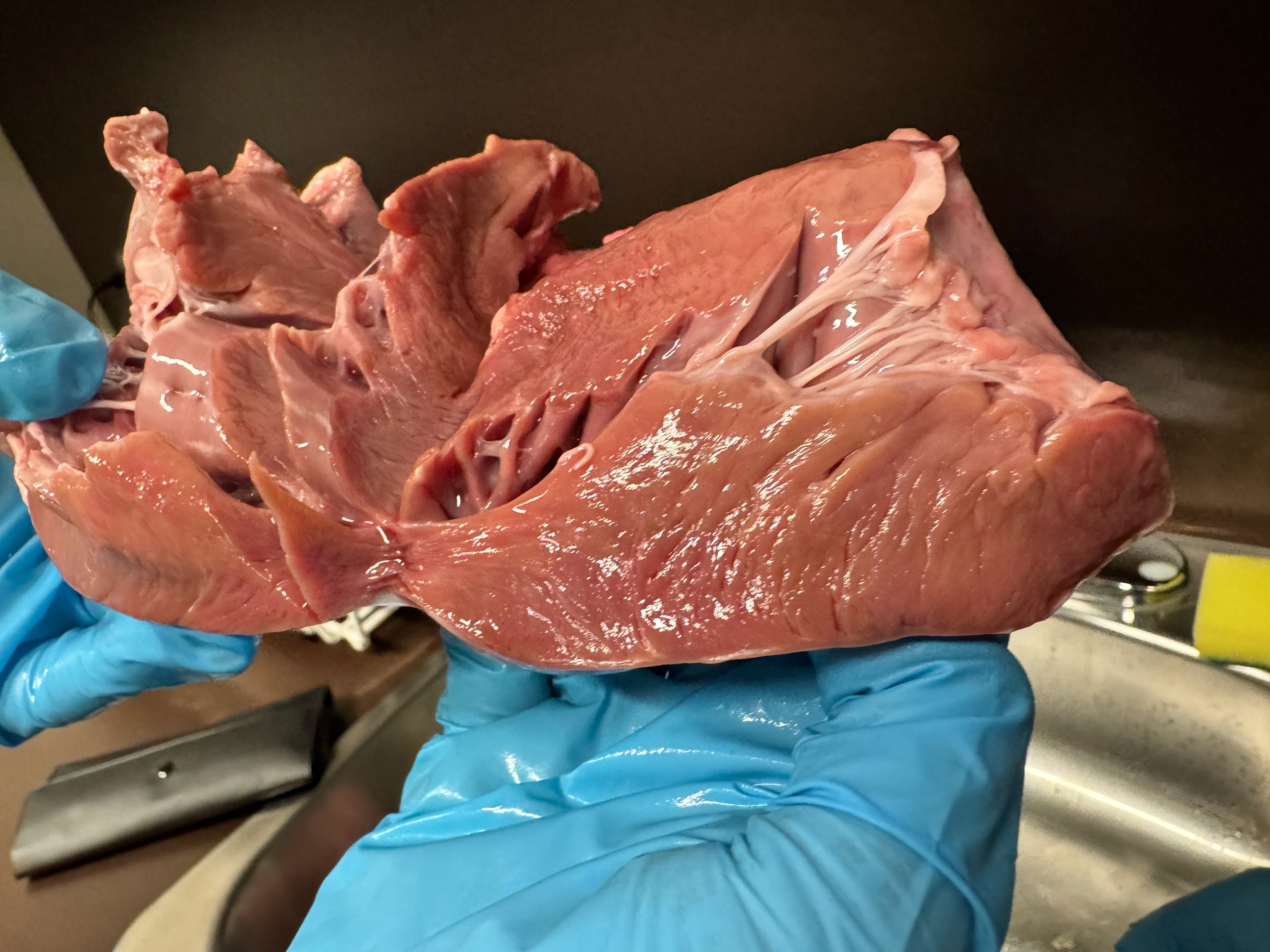
During the rendering stage, my group and I decided to purchase a pig’s heart to develop a better understanding of cardiac surface texture, colour variation, and glossy reflections. Photographing the heart from multiple perspectives provided high-quality reference material that significantly improved the realism and accuracy of the rendering process.
While reviewing existing heart illustrations, it became clear that many were highly stylized and approached tissue rendering in very different ways. By studying a real pig’s heart firsthand, I was able to develop a stronger personal understanding of the anatomy, material qualities, and reflective properties of living tissue. This experience was extremely beneficial and helped me develop my own rendering style and visual approach for the final illustration.
Rendering process
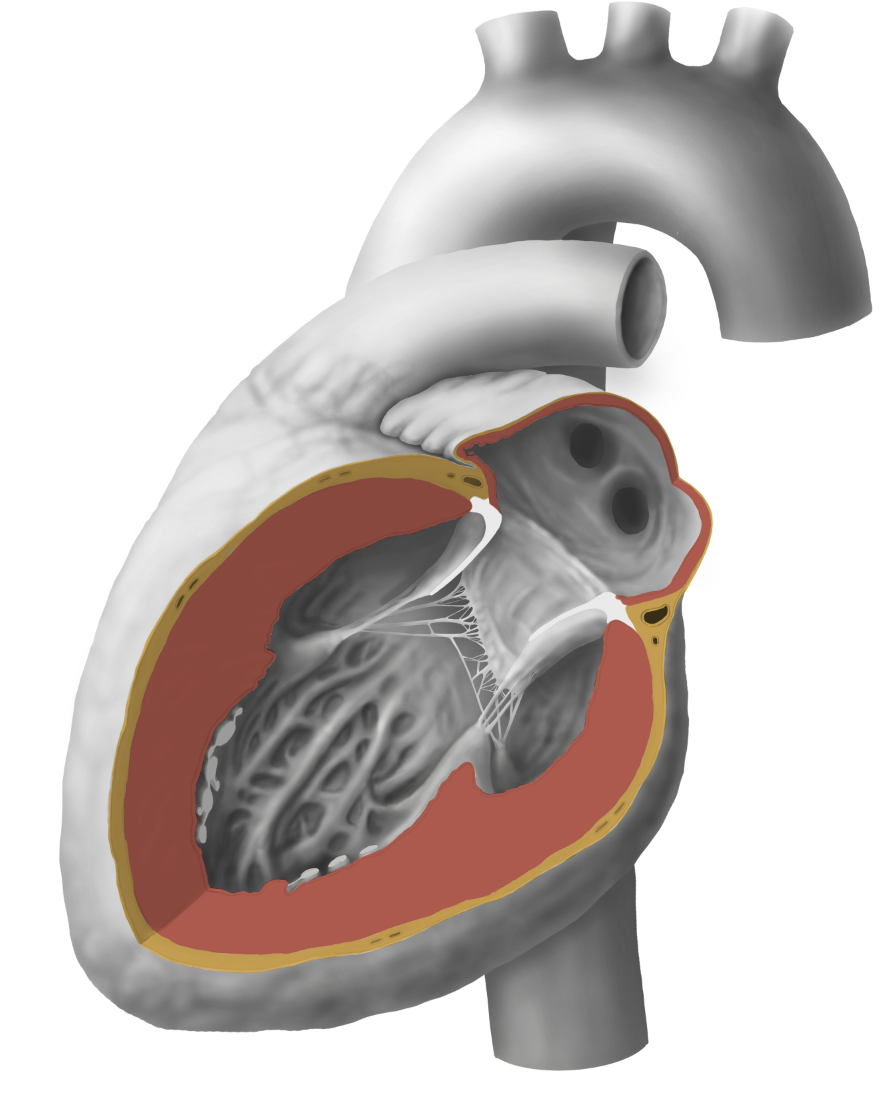
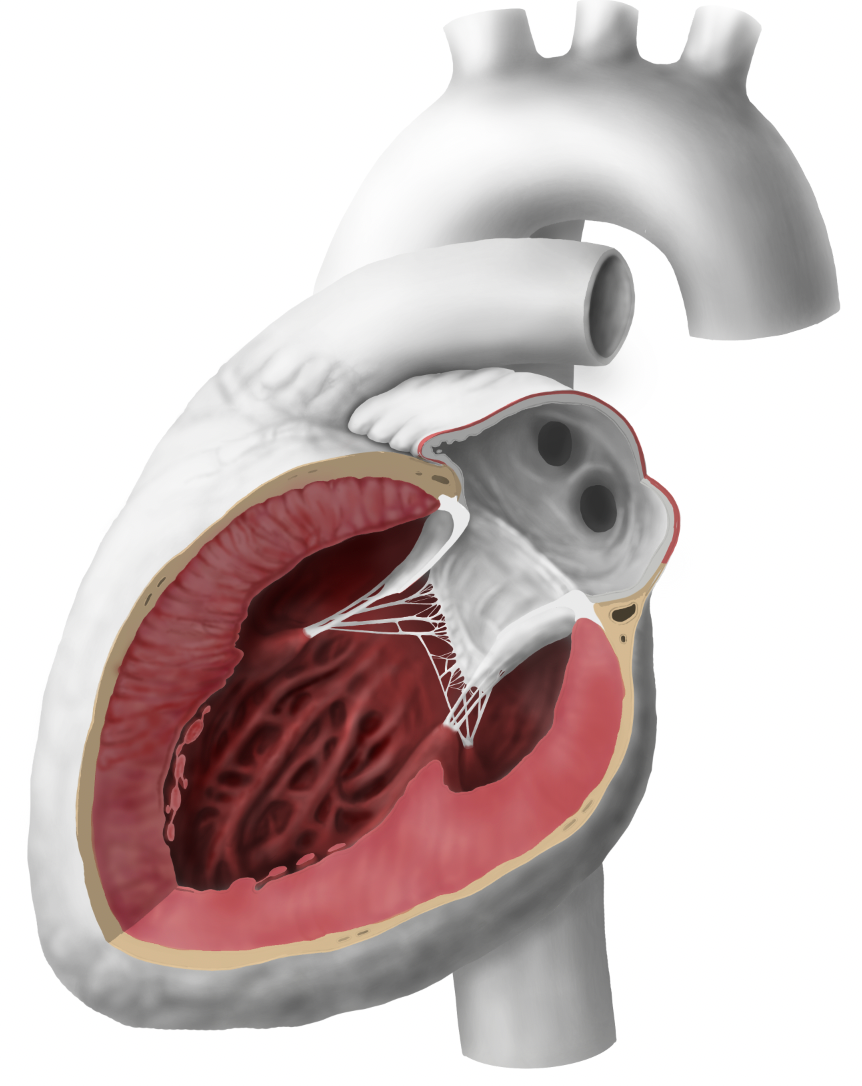
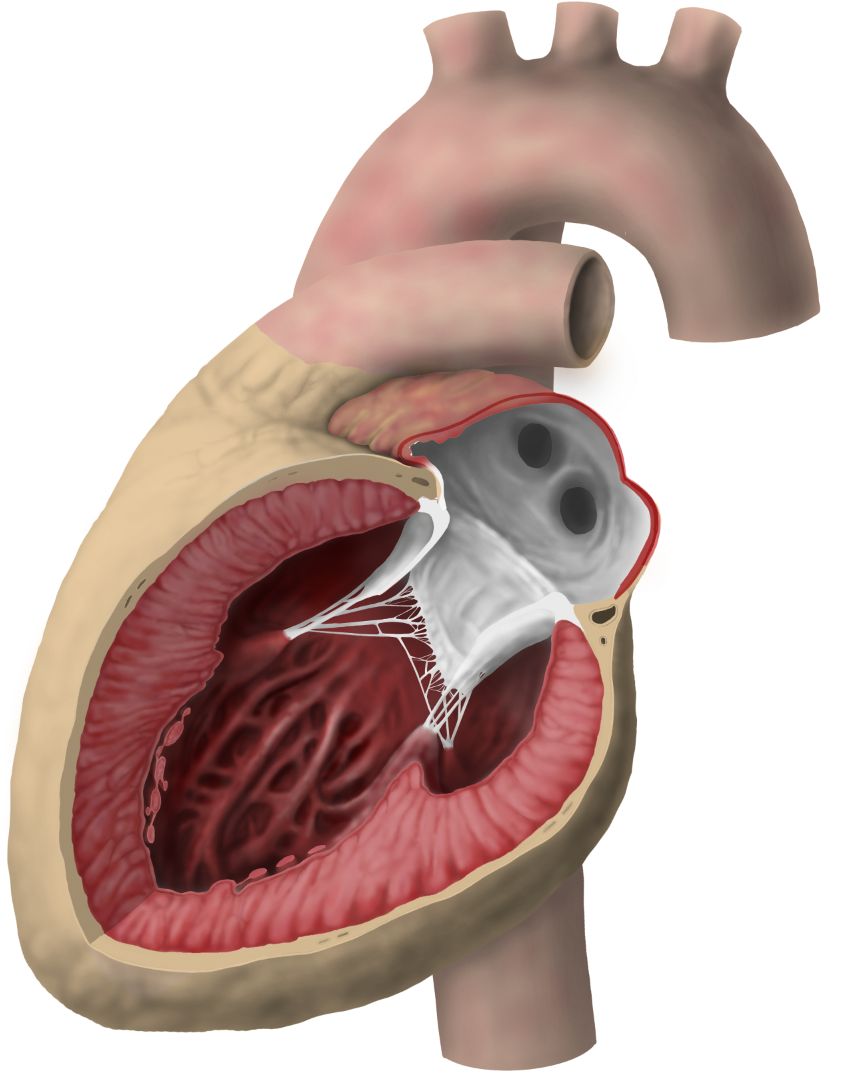
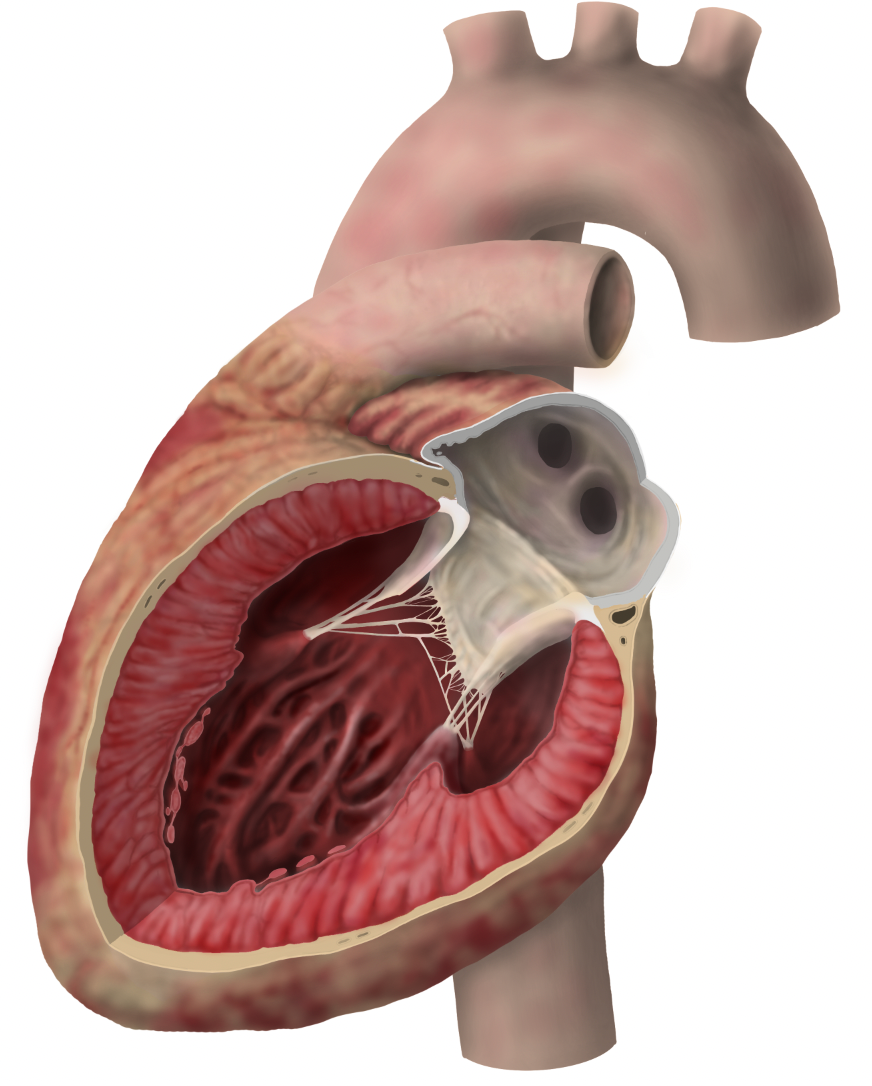
When rendering the heart, I used a “white clay” rendering approach, beginning with a grayscale pass to establish lighting, form, and value relationships before introducing colour. Since this was my first time using this technique, I initially found it difficult to predict how the grayscale values would translate once colour was applied. Early colour passes appeared muddy and lacked the organic quality I was aiming for.
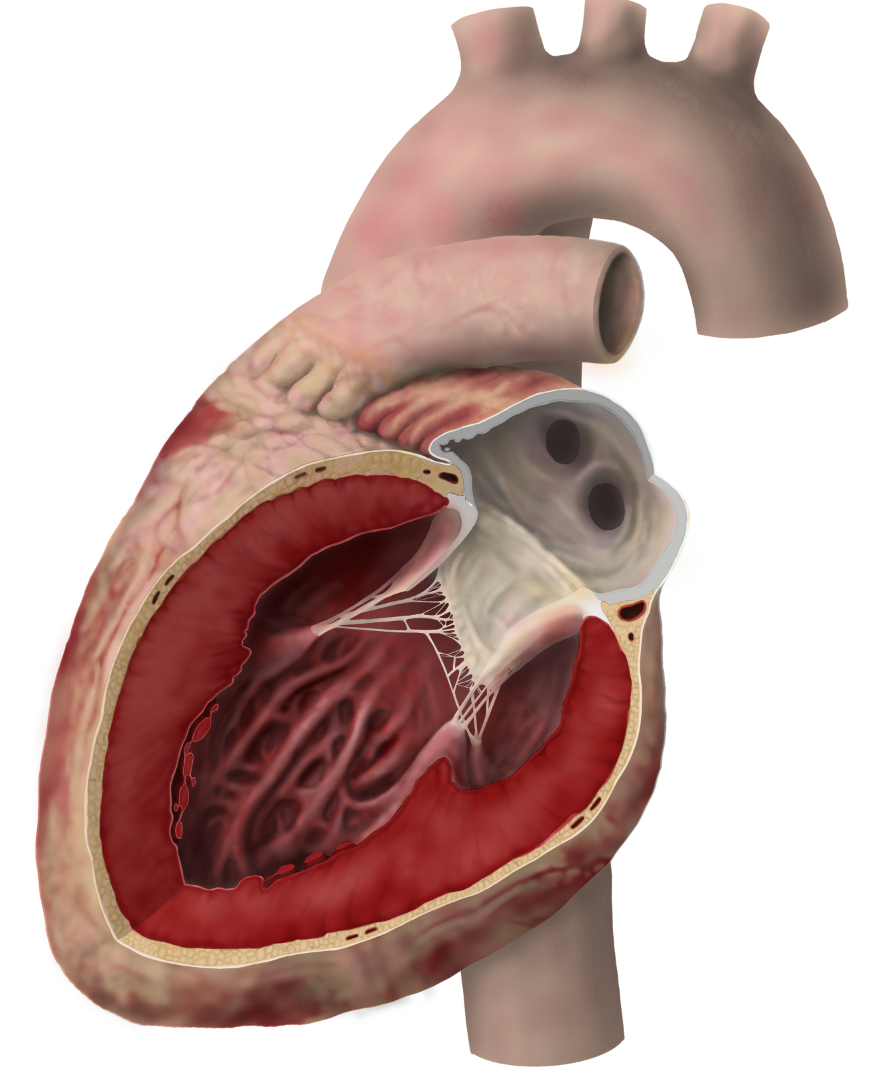
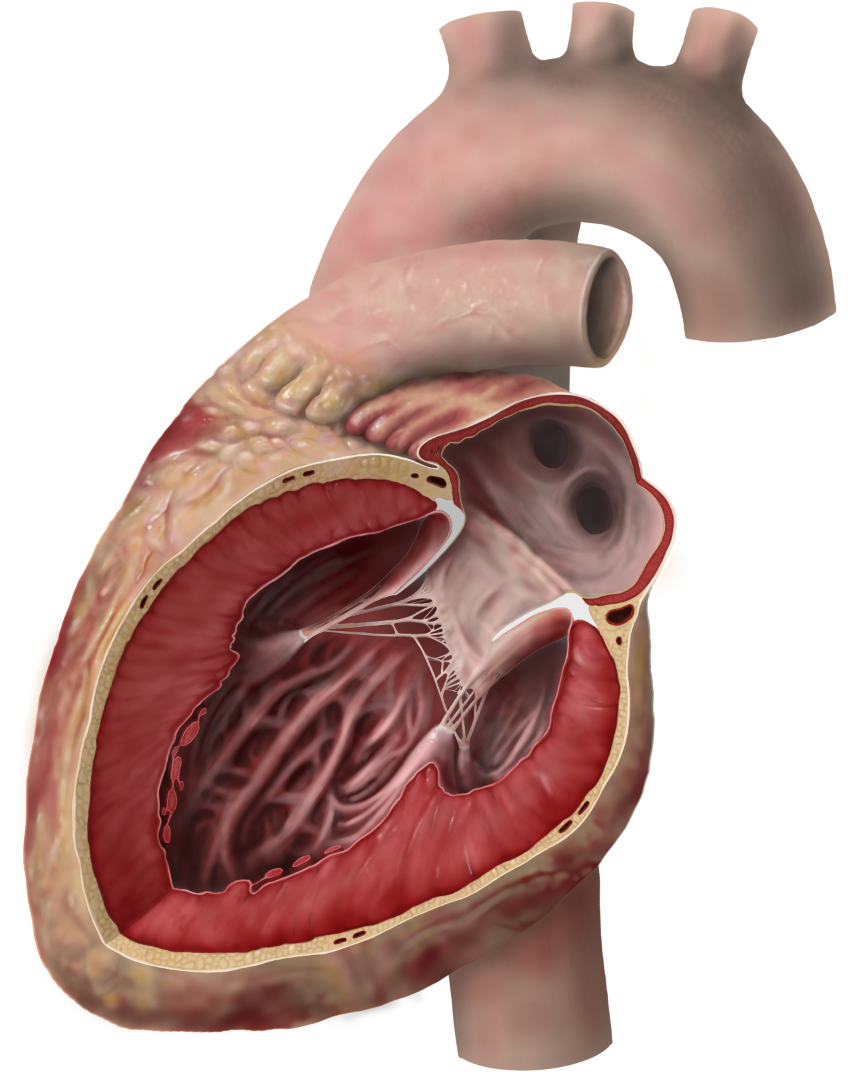
After establishing the base colours over the grayscale rendering, I introduced additional painting layers to refine reflections, tissue variation, and smaller surface details throughout the heart. This stage felt much more intuitive, as it aligned more closely with my previous rendering experience and allowed me to further develop the material qualities and glossy reflections of the tissue.
References
-Agur, A. M. R., & Dalley, A. F., II. (2017). Grant’s atlas of anatomy (13th ed.). Wolters Kluwer.
-Armando Hasudungan. (2017, March 20). Dissection of the heart: An introduction [Video]. YouTube. https://www.youtube.com/watch?v=mDHXIky7Krc
-Berdajs, D., & Turina, M. I. (2011). Operative anatomy of the heart. Springer.
-Dauber, W. (2007). Wolf-Heidegger’s atlas of human anatomy (6th ed.). Springer.
-Filipoiu, F. M. (2014). Atlas of heart anatomy and development. Springer.
-Netter, F. H. (2018). Atlas of human anatomy (7th ed.). Elsevier.
-Putz, R., & Pabst, R. (2018). Sobotta atlas of human anatomy (15th ed.). Elsevier.
-Rohen, J. W., Yokochi, C., & Lütjen-Drecoll, E. (2016). Anatomy: A photographic atlas (8th ed.). Elsevier.
- Database Center for Life Science (DBCLS). (n.d.). BodyParts3D/Anatomography [3D anatomy database]. http://lifesciencedb.jp/bp3d/?lng=en
- University of Minnesota Visible Heart® Laboratories. (n.d.). Mitral valve: Atlas of human cardiac anatomy. University of Minnesota. http://www.vhlab.umn.edu/atlas/left-ventricle/mitral-valve/index.shtml